What to Check Before Buying a Refurbished Laptop
Compare refurbished laptops by condition, battery, return terms, software support and the seller’s description, then choose the option that fits your routine and tolerance for uncertainty.
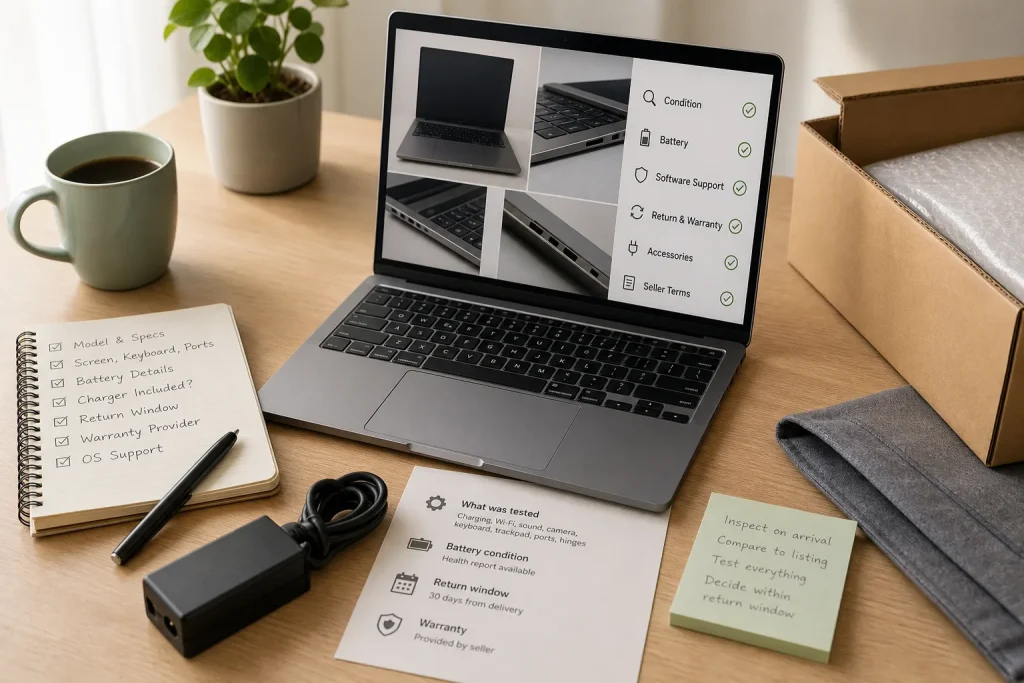
Compare refurbished laptops by condition, battery, return terms, software support and the seller’s description, then choose the option that fits your routine and tolerance for uncertainty.
Technology · 9 min read
A refurbished laptop listing can look reassuring until you notice that “excellent condition” says nothing about battery capacity, or that the return window may close before you have tried a video call. The right choice is not always the cleanest-looking machine or the lowest asking price. It is the offer whose condition, software support and terms suit the way you plan to use it.
Manufacturer outlets, specialist refurbishers and marketplace sellers can all offer worthwhile options, but their descriptions and terms differ. Treat each listing as a set of claims to verify, not as a promise implied by the word “refurbished.”
Match the seller to the questions you need answered
A manufacturer outlet may make it easier to identify a specific model and find a support contact. Still, check who refurbished the actual unit, which warranty applies and what software is included. A familiar brand name on the laptop does not by itself establish who handled the refurbishment or who will resolve a problem.
Specialist refurbishers often list several business-laptop models and condition grades. Ask what a grade means for the screen, case, keyboard and hinges. Labels such as “A” or “very good” are the seller’s own descriptions, not a shared standard. Specific notes about marks and wear are more useful than a grade alone.
Marketplace listings need particular care: identify whether the seller is a business or an individual, who handles returns, and which platform terms apply to your purchase. Buyer protections vary by platform, location and transaction, so read the applicable terms rather than assuming they cover a particular problem. If basic questions go unanswered, consider another listing.
Prefer the seller who answers important questions in writing and explains how to return a laptop that differs from its description. If the offer only seems attractive when you assume the battery, software or accessories will be suitable, pause before buying.
Look past the grade to the parts you will use
Cosmetic condition and working condition are different. A scuffed lid may be easy to live with; a sticky key or a bright mark on the display may interfere with daily work. Look for descriptions of the screen, keyboard, trackpad, ports, hinges and casing, not just a general grade.
Ask what was checked on the actual unit, or how inspections apply to the stock being sold. Useful details might cover charging, Wi-Fi, sound, webcam, keyboard input and trackpad response. “Fully tested” is less informative than a clear list of functions checked.
Confirm the exact model identifier and configuration. Processor family, memory, storage type and capacity, screen size and resolution can differ between laptops that look alike. A photo does not establish which components are inside the unit you will receive. If a detail matters to your work and is missing, ask the seller to confirm it before ordering.
Check the box contents as carefully as the computer. Ask whether a charger is included and suitable for that specific laptop, and whether accessories in the photos are included or merely illustrative. If the seller identifies a replacement charger, request its compatibility details; do not infer suitability from appearance alone.
Decide how much battery uncertainty your routine can tolerate
A refurbished battery has already been used, and remaining capacity varies. Some sellers state a battery condition standard or provide a report; others do not. Read the wording closely: “battery tested” might mean it charges and powers the laptop, not that it will last through a long stretch away from an outlet.
Think about where you will use the computer. If it will usually stay on a desk near a charger, a less capable battery may be manageable. If you carry it between classes, meetings or shared workspaces, uncertainty matters more. Ask whether the battery is original or a replacement, what condition information is available, and what remedy applies if it fails to meet a stated standard.
Do not rely on “good battery” without asking what that means. Request the seller’s criteria in writing and compare the answer with the return terms. If the seller cannot explain the claim, choose a clearer offer or decide whether you are comfortable keeping the laptop near an outlet.
Read return and warranty terms before you order
Check when the return period begins, what condition the laptop must be in, who pays any return shipping and how to request a return. Find out whether an authorization is required and how a refund is handled. The rules can differ for a change of mind, a fault or an inaccurate description, so identify which process would apply to your concern.
Read the warranty separately. Confirm who provides it, what it covers, how to make a claim and whether the battery is included. Warranty coverage and return rights depend on the seller, product and applicable rules; neither should be assumed to replace the other. Save the listing, order confirmation and written answers so you can refer to the claims made at the time of purchase.
When the laptop arrives, inspect it promptly while any return option is still available. Compare its model and configuration with the listing; examine the casing and display in ordinary room light; and try the keyboard, trackpad, ports, camera, microphone, speakers, Wi-Fi and charger. If something is wrong, make clear notes and contact the seller through the stated process. Keep the packaging until you have decided to keep the machine.
Confirm software support for the exact model
Check the exact laptop model against the operating-system provider’s current compatibility and update information. A claim that software is installed does not say how long it will receive security updates. Eligibility can depend on the model and software version, so verify it with the provider rather than relying on a broad seller description.
Ask whether the operating system is licensed and activated, and whether the laptop will be reset for its next owner. Licensing and support conditions vary, so check the applicable provider terms if anything is unclear. If you depend on a particular application, confirm its current system requirements too; operating-system compatibility alone may not be enough.
On arrival, look for unfamiliar administrator accounts, enrollment screens or management messages before moving personal files onto the computer. If it appears to remain under an employer’s, school’s or another person’s control, contact the seller and use the stated return process. Do not try to bypass those controls.
Compare listings with a decision checklist
- Exact identity: Check the model identifier and component specifications against the listing. If they match and meet your needs, continue comparing; if they are missing or inconsistent, ask for written confirmation or choose another offer.
- Condition details: Check what the seller’s grade means for the screen, keyboard, hinges and case. If the seller describes the wear clearly and you can accept it, proceed to the next check; if not, request specifics or choose a listing with clearer condition notes.
- Function checks: Check whether the seller states that charging, Wi-Fi, camera, sound, ports, keyboard and trackpad were inspected. If the checks are specific enough for your needs, weigh them with the return terms; if they are vague, ask what was checked or select a better-documented offer.
- Battery terms: Check for a defined battery standard, available condition information and any remedy. If the terms suit your routine, keep the listing in consideration; if battery life matters and the seller offers no useful detail, ask for clarification or choose a clearer option.
- Included items: Check that the charger is included, that the seller confirms it is suitable for the exact laptop, and whether pictured accessories are included or illustrative. If all essential items are confirmed, proceed; if not, ask what is included and verify replacement compatibility before deciding.
- Returns and warranty: Check the deadline, procedure, shipping responsibility, warranty provider and coverage. If you can explain how to address a fault or a mismatch, compare the offer on its merits; if not, ask the seller to clarify or keep looking.
- Software support: Check current operating-system compatibility, update eligibility, licensing and reset status with the relevant provider and seller. If the details are clear and fit your needs, continue; if they are uncertain, verify them or choose a supported model with clearer terms.
- Seller responsibility: Check who refurbished the laptop and who handles questions, returns and warranty claims. If each responsibility has a clear contact, save those details; if roles are split or unclear, ask which party handles each issue or choose a seller with a clearer process.
A hypothetical comparison built around a writing routine
Consider this invented scenario, with hypothetical details rather than claims about actual listings. Sam wants a laptop mainly for writing at home and occasional video calls, with a short trip to the library now and then. Listing A is from a specialist refurbisher: it describes a scuffed lid, says the keyboard and webcam were checked, includes a replacement charger whose suitability still needs confirmation, and gives no battery standard. Listing B is from a marketplace business seller: it describes a small screen mark, states a battery condition standard, names the operating system, and offers a return period. The asking prices are not included here because they would not settle the questions about fit and terms.
Sam takes these actions. First, Sam asks both sellers for the exact model identifier and full configuration, then compares the answers with the intended writing and video-call use. Second, Sam asks the first seller to confirm in writing that the charger is included and appropriate for the exact model, and asks what “checked” means for the webcam and keyboard. Third, Sam asks both sellers for the battery criteria and the process for returning a unit that does not match its description. Fourth, Sam checks the operating-system provider’s current support information for each confirmed model, and asks the second seller whether the screen mark is visible during ordinary use.
Suppose, hypothetically, that Listing A’s seller confirms the charger and inspection details but cannot provide a battery standard, while Listing B’s seller clarifies its return process and confirms that the mark is visible on a plain screen. Sam’s resulting decision is conditional: if the mark would distract during writing, and Listing A’s return terms give enough opportunity to check the laptop, A may suit a mostly desk-based routine. If the mark is acceptable but battery use away from home matters more, B may be the better fit, provided its model and software support check out. If either seller cannot confirm the essential configuration or return process, Sam sets that listing aside. The tradeoff is explicit: comfort with a screen mark versus greater clarity about battery and returns, not an unsupported promise about future performance.
Make the final choice using evidence you can keep
Before ordering, identify the requirements you are most likely to notice in daily use: perhaps a comfortable keyboard, a supported operating system and enough battery for a trip across town. Compare each offer against those needs, then weigh the seller’s condition details and terms. A polished grade cannot make an unclear specification useful, and a warranty cannot resolve uncertainty about what is included in the box.
Save the listing and the seller’s answers, then check the promised details soon after delivery. That record gives you a clear basis for raising a discrepancy through the appropriate process. One small habit helps throughout: treat each claim—about condition, charger, software or returns—as something to confirm for the particular unit and transaction.

Make a Useful Backup Plan for Personal Files
Choose which files deserve another copy, where to keep it, and how to check that you…

Build a Digital Filing System You Can Keep Using
Create a compact folder structure, choose file names that make sense later, and set a simple…